

Download: ftp://ftp.gnu.org/gnu/cgicc/
Unpack: tar xzf cgicc-X.X.X.tar.gz
Build Libraries:
- cd cgicc-X.X.X/
- ./configure --prefix=/usr (Default or /opt. Make sure you have write priviges to the directory.)
If compiling to create a 32 bit library on a 64 bit Athelon:
CXXFLAGS="-m32" CFLAGS="-m32" LDFLAGS="-m32"
If installed in /opt then you will need to include:- Include path defined in the compile statement: -I/opt/include
- Link command reference: -L/opt/lib
or use LD_RUN_PATH or /etc/ld.so.conf
- make install
The build and installation will create and install include files, documentation and libraries:
- Libraries:
/usr/lib/libcgicc.a libcgicc.la libcgicc.so (softlink to libcgicc.so.1.3.0) libcgicc.so.1 (softlink to libcgicc.so.1.3.0) libcgicc.so.1.3.0 - Include files: /usr/include/cgicc/...
- Documentation: /usr/doc/cgicc-X.X.X/index.html
Also available at http://www.gnu.org/software/cgicc/doc/
The Web Page:
Test CGIcc form
|
HTML Form Source:
<html>
<head><title>Test CGIcc form</title></head>
<body bgcolor="#cccccc" text="#000000">
<h2>Test CGIcc form</h2>
<p>
<form method="post" action="/cgi-bin/testcgi">
Value 1 :
<input type="text" name="value1">
<p>
Value 2 :
<select name="value2">
   <option value="option1">Option 1
   <option value="option2">Option 2
   <option value="option3">Option 3
</select>
<P>
Value 3 :
<input type="radio" name="value3" value="button1" checked="checked">Button1
<input type="radio" name="value3" value="button2">Button2

<input type="hidden" name="value4" value="data4">
<p>
<input type="submit" value="Submit">
</form>
</body>
</html>
C++ CGI Source:
#include <iostream>
#include <vector>
#include <string>

#include "cgicc/CgiDefs.h"
#include "cgicc/Cgicc.h"
#include "cgicc/HTTPHTMLHeader.h"
#include "cgicc/HTMLClasses.h"

#include <stdio.h>
#include <stdlib.h>

using namespace std;
using namespace cgicc;     // Or reference as cgicc::Cgicc formData; below in object instantiation.

int main(int argc, char **argv)
{
    try {
       Cgicc formData;

       // Send HTTP header: Content-type: text/html
       cout << HTTPHTMLHeader() << endl;

       // Print: <!DOCTYPE HTML PUBLIC "-//W3C//DTD HTML 4.0//EN" "http://www.w3.org/TR/REC-html40/strict.dtd">
       cout << HTMLDoctype(HTMLDoctype::eStrict) << endl;

       // Print: <html lang="en" dir="LTR">
       cout << html().set("lang", "EN").set("dir", "LTR") << endl;

       // Set up the HTML document
       cout << html() << head() << title("Cgicc example") << head() << endl;
       cout << body().set("bgcolor","#cccccc").set("text","#000000").set("link","#0000ff").set("vlink","#000080") << endl;

       cout << h1("This is a demonstration of the GNU CgiCC library") << endl;

       form_iterator fvalue1 = formData.getElement("value1");
       if( !fvalue1->isEmpty() && fvalue1 != (*formData).end()) {
          cout << "Value1: " << **fvalue1 << endl;
       }
       else
          cout << "No text entered for value1" << endl;

       cout << p();

       form_iterator fvalue2 = formData.getElement("value2");
       if( !fvalue2->isEmpty() && fvalue2 != (*formData).end()) {
          // Note this is just a different way to access the string class.
          // See the YoLinux GNU string class tutorial.
          cout << "Value2: " << (**fvalue2).c_str() << endl;
       }

       cout << p();

       form_iterator fvalue3 = formData.getElement("value3");
       if( !fvalue3->isEmpty() && fvalue3 != (*formData).end()) {
          cout << "Value3: " << **fvalue3 << endl;
       }

       cout << p();

       form_iterator fvalue4 = formData.getElement("value4");
       if( !fvalue4->isEmpty() && fvalue4 != (*formData).end()) {
          cout << "Value4: " << **fvalue4 << endl;
       }

       // Close the HTML document
       cout << body() << html();
    }
    catch(exception& e) {
       // handle any errors here.
       cout << "ERROR!!" << endl;
    }
    return 0;   // To avoid Apache errors.
}
Compile:
- Compile and static link: (size: 1063688)
- If installed in /opt/: g++ -o testcgi -I/opt/include testcgi.cpp /opt/lib/libcgicc.a
- If installed in /usr/: g++ -o testcgi testcgi.cpp /usr/lib/libcgicc.a
- Dynamic Link (at run time): (size: 48465)
- If installed in /opt/: g++ -o testcgi -I/opt/include testcgi.cpp -L/opt/lib -lcgicc
- If installed in /usr/: g++ -o testcgi testcgi.cpp -lcgicc
Run:
The following paths are for a Red Hat 7.x installation.- Place web page in: /var/www/html/testcgi.html
- Place cgi in: /var/www/cgi-bin/testcgi
- Start Apache: service httpd start
- Test: http://localhost/testcgi.html
Debugging a "POST" method CGI:
- Print environment for transaction:
Code snipet to include in cgicc CGI program:Also: env.getRequestMethod(), env.getPathInfo(), env.getPathTranslated(), env.getReferrer(), env.getContentLength(), env.getPostData(), env.getRemoteHost(), env.getRemoteAddr(), env.getAuthType(), env.getRemoteUser(), env.getRemoteIdent(), env.getContentType(), env.getAccept(), env.getUserAgent(), env.getServerSoftware(), env.getServerName(), env.getGatewayInterface(), env.getServerProtocol(), env.getServerPort(), env.usingHTTPS(), env.getRedirectRequest(), env.getRedirectURL(), env.getRedirectStatus(), env.getCookies(), env.getQueryString(), env.getScriptName().// Function declaration void dumpEnvironment(const CgiEnvironment& env); ... const CgiEnvironment& env = cgi.getEnvironment(); cout << env.getRequestMethod() << endl; ... env.getPathInfo() ... ... env.getPathTranslated() env.getReferrer() env.getContentLength() env.getPostData() ... - Set environment variables: . debug-env
File: debug-envexport HTTP_USER_AGENT="Mozilla/5.0 (X11; U; Linux x86_64; en-US; rv:1.7.3) Gecko/20041020" export SERVER_PORT=80 export HTTP_HOST=localhost export DOCUMENT_ROOT="/var/www/html" export HTTP_ACCEPT_CHARSET="iso-8859-1,*,utf-8" export SCRIPT_FILENAME="/var/www/cgi-bin/env.sh" export REQUEST_URI="/cgi-bin/env.sh" export SCRIPT_NAME="/cgi-bin/program.cgi" export HTTP_REFERRER="http://localhost/web-page.html" export HTTP_CONNECTION=Keep-Alive"" export REMOTE_PORT=32984 export PATH="/sbin:/usr/sbin:/bin:/usr/bin:/usr/X11R6/bin" export PWD="/var/www/cgi-bin" export SERVER_ADMIN="root@localhost" export HTTP_ACCEPT_LANGUAGE=en export HTTP_ACCEPT='text/xml,application/xml,application/xhtml+xml,text/html;q=0.9,text/plain;q=0.8,image/png,*/*;q=0.5' export REMOTE_ADDR='127.0.0.1' export SHLVL=1 export SERVER_NAME=localhost export SERVER_SOFTWARE='Apache/2.0.52 (Fedora)' export QUERY_STRING= export SERVER_ADDR='127.0.0.1' export GATEWAY_INTERFACE='CGI/1.1' export SERVER_PROTOCOL='HTTP/1.1' export HTTP_ACCEPT_ENCODING=gzip export REQUEST_METHOD=POST export CONTENT_LENGTH=47 export CONTENT_TYPE='application/x-www-form-urlencoded' export POST_DATA='formval1=VALUE1&formval2=VALUE2&formval3=VALUE3' - Create file for (standard input) stdin: echo $POST_DATA > debug-stdin
- Run in dbx:
- dbx program.cgi
- break ##### (Set breakpoints)
- run < debug-stdin
If not debugging, just run: echo $POST_DATA | ./program.cgi
- GNU CgiCC Home page
- YoLinux C++ Tutorials and info
- More source code examples:
 Books:
 |
CGI: Internet Programming in C++ and C
by Mark Felton ISBN #0137123582, Prentice Hall
|

|
 |
C++ How to Program
by Harvey M. Deitel, Paul J. Deitel ISBN #0131857576, Prentice Hall Fifth edition. The first edition of this book (and Professor Sheely at UTA) taught me to program C++. It is complete and covers all the nuances of the C++ language. It also has good code examples. Good for both learning and reference. |
|
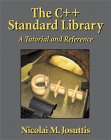 |
The C++ Standard Library: A Tutorial Reference
Nicolai M. Josuttis ISBN #0201379260, Addison Wesley Longman This book is the only book I have seen which covers string classes as implemented by current Linux distributions. It offers extensive coverage of the C++ string classes as well as fairly complete coverage of the C++ Standard Template Library (STL). |
|