


LDAP can provide a central directory of information for:
- Computer OS system logins and passwords. (Linux authentication tutorial)
- Applications: web site logins (Apache LDAP authentication), email server (Postfix, QMail, ...), internet proxy server (Squid), ... etc ... authentication.
- User directory information for names and email addresses for LDAP enabled email clients such as Mozilla Thunderbird or Microsoft Outlook.
See using an LDAP directory as an address book for email clients. - Web directories (AWebDap), etc ... Any LDAP enabled client.
- DNS information for local networks.
The following steps will lead to an operational OpenLDAP 2.x server:
- Install packages:
- Red Hat / Fedora RPM packages openldap, openldap-clints, openldap-servers and openldap12: openldap, openldap-clients, openldap-servers, openldap12
(rpm -ivh openldap-2.x...rpm openldap-clients-2.x...rpm openldap-servers-2.x...rpm openldap12-1.2...rpm) - Ubuntu (14.04)/Debian: apt-get install slapd ldap-utils
- Ubuntu (hardy 8.04)/Debian: apt-get install slapd ldap-utils libdb4.3
- Ubuntu (dapper 6.06)/Debian: apt-get install slapd ldap-utils libldap2 libldap2-dev libdb4.2
- S.u.S.e.: openldap2, openldap2-client
- Red Hat / Fedora RPM packages openldap, openldap-clints, openldap-servers and openldap12: openldap, openldap-clients, openldap-servers, openldap12
- Edit configuration files:
- slapd.conf - Holds configuration info, domain
info, admin info and references "include files".
- Red Hat / Fedora: /etc/openldap/slapd.conf
- Ubuntu / Debian: /etc/ldap/slapd.conf
(Ubuntu 6.06) See example: /usr/share/slapd.slapd.conf)
- /etc/default/slapd - (Ubuntu) Defaults should be ok.
- Create the include file for the Object definition. This defines the data to be held by the LDAP server. (Use include file or add it to end of slapd.conf) It is easiest to use an existing LDAP object class that comes pre-defined with OpenLDAP. If this does not meet your requirements define a new object which inherits basic attributes from an existing and defined object class.
- slapd.conf - Holds configuration info, domain
info, admin info and references "include files".
- Generate Dynamic Configuration Files: This is exclusively for RHEL6 which does not use the configuration files directly but requires that you use the slapd.conf file to generate a tree of directories and files which can be dynamically updated. Changes are then made using the command ldapmodify
- Create an LDIF data file: This is the actual data you wish to store in the LDAP database. It follows an object model (data schema) defined in either a pre-existing object definition or in an object model definition you have defined in a slapd.conf include file.
- Start the LDAP database:
- Red Hat RHEL6/ CentOS 6: service slapd start (or: /etc/init.d/slapd start)
Start configuration in /etc/sysconfig/ldap# Options of slapd (see man slapd) #SLAPD_OPTIONS= # At least one of SLAPD_LDAP, SLAPD_LDAPI and SLAPD_LDAPS must be set to 'yes'! # Run slapd with -h "... ldap:/// ..." yes/no, default: yes SLAPD_LDAP=yes # Run slapd with -h "... ldapi:/// ..." yes/no, default: yes SLAPD_LDAPI=yes # Run slapd with -h "... ldaps:/// ..." yes/no, default: no SLAPD_LDAPS=no - Red Hat RHEL4,5/ CentOS 4,5 / Fedora: service ldap start (or: /etc/init.d/ldap start)
- Ubuntu (dapper 6.06 - hardy 8.04)/ Debian: /etc/init.d/slapd start
- Red Hat RHEL6/ CentOS 6: service slapd start (or: /etc/init.d/slapd start)
- Load the LDIF data file into the database:
- ldapadd -f file-name.ldif -xv -D "CN-with-privileges" -h host-name-of-server -W
you will be prompted for a password. or
- ldapadd -f file-name.ldif -xv -D "CN-with-privileges" -h host-name-of-server -w password
- ldapadd -f file-name.ldif -xv -D "CN-with-privileges" -h host-name-of-server -W
- Test LDAP: Use an e-mail client such as Mozilla Seamonkey, Netscape or Outlook to access the data on the server.
- Manage:View, query and make changes to the data using the web front-end aWebDap or admin tools like "Apache Directory Studio" or "gq". (or use LDAP command line interface) Try the online aWebDap demo.
(This will result in an operational LDAP server with data.)
Download and use the following two sample files:
- slapd.conf
- OpenLDAP 2.4 (Red Hat RHEL6/CentOS 6): /etc/openldap/slapd.conf
- OpenLDAP 2.x (Red Hat 7.1-9.0, Fedora 1-6, RHEL/CentOS 5): /etc/openldap/slapd.conf
- Ubuntu 8.04 / Debian: /etc/ldap/slapd.conf
- Ubuntu 6.11 / Debian: /etc/ldap/slapd.conf
- stooges.ldif - LDAP data file
(Simple noauth ldif example: stooges.ldif)
Note for Fedora Core 3 and later: (OpenLDAP 2.2.13 and later) Add the statement "allow bind_v2" after the schema "include" directives in the file /etc/openldap/slapd.conf if you wish to allow the use of older clients.
Then execute the following commands as root:
- mkdir /var/lib/ldap/stooges /var/lib/ldap/fraternity
- Update or replace /etc/openldap/slapd.conf with file supplied for this demo.
- New additional steps for OpenLDAP 2.4: Build slapd.d dynamic configuration directory tree (this step is specific to RHEL 6/CentOS 6 and Linux distros using OpenLDAP 2.4):
- OpenLDAP 2.4 introduces a dynamic configuration store which allows the OpenLDAP server to have configuration changes made during run-time.
Previously configuration changes would be made to /etc/openldap/slapd.conf and the server restarted to pick up the changes.
With the introduction of 2.4 the configuration from slapd.conf is used to construct the run-time configuration in directory hierarchy /etc/openldap/slapd.d/....
All configuration changes are then made using the command line interface or regenerated from slapd.conf.
- OpenLDAP 2.4: Clean up old configuration and data files:
rm -Rf /etc/openldap/slapd.d/* rm -f /var/lib/ldap/alock rm -f /var/lib/ldap/__db.00? - OpenLDAP 2.4: See configuration with a default database configuration file:
[root]# cp /usr/share/openldap-servers/DB_CONFIG.example /var/lib/ldap/stooges/DB_CONFIG
set_cachesize 0 268435456 1
set_lg_regionmax 262144
set_lg_bsize 2097152
[Potential Pitall]: If this step is not taken slaptest will give this error:
bdb_db_open: warning - no DB_CONFIG file found in directory /var/lib/ldap/stooges: (2). - OpenLDAP 2.4: Generate initial database:
[root]# echo “” | slapadd -f slapd.conf The first database does not allow slapadd; using the first available one (2) str2entry: entry -1 has no dn slapadd: could not parse entry (line=1) [root]# chown -R ldap.ldap /etc/openldap/slapd.d /var/lib/ldap [root]# chmod -R u+rwX /etc/openldap/slapd.d [root]# chcon -u system_u -t slapd_db_t /var/lib/ldap/stooges [root]# service slapd restart - OpenLDAP 2.4: Generates initial configuration tree in /etc/openldap/slapd.d/:
[root]# slaptest -f /etc/openldap/slapd.conf -F /etc/openldap/slapd.d
config file testing succeeded
[Potential Pitall]: If you did not generate a database first with slapadd you get this error:
bdb_db_open: database "o=stooges": db_open(/var/lib/ldap/stooges/id2entry.bdb) failed: No such file or directory (2).
Verify database generation: ldapsearch -Q -Y EXTERNAL -H ldapi:/// -LLL -b cn=config olcDatabase=\* dndn: olcDatabase={-1}frontend,cn=config dn: olcDatabase={0}config,cn=config dn: olcDatabase={1}monitor,cn=config dn: olcDatabase={2}bdb,cn=config dn: olcDatabase={3}bdb,cn=config
- OpenLDAP 2.4 introduces a dynamic configuration store which allows the OpenLDAP server to have configuration changes made during run-time.
Previously configuration changes would be made to /etc/openldap/slapd.conf and the server restarted to pick up the changes.
With the introduction of 2.4 the configuration from slapd.conf is used to construct the run-time configuration in directory hierarchy /etc/openldap/slapd.d/....
All configuration changes are then made using the command line interface or regenerated from slapd.conf.
- Set file ownership:
- Red Hat/CentOS/Fedora:
- chown -R ldap.ldap /var/lib/ldap/stooges /var/lib/ldap/fraternity /etc/openldap/slapd.conf
- SELinux: chcon -u system_u -t slapd_db_t /var/lib/ldap/stooges /var/lib/ldap/fraternity
chcon -u system_u -t etc_t /etc/openldap/slapd.conf
(This step should not be necessary. Verify security context settings with ls -lZ)
- Ubuntu:
- chown openldap.openldap /var/lib/ldap/stooges /var/lib/ldap/fraternity /etc/ldap/slapd.conf
- Ubuntu hardy 8.04:
Change the security policy to allow subdirectories under /var/lib/ldap/:
Edit file: /etc/apparmor.d/usr.sbin.slapd
change from: /var/lib/ldap/* rw,
to: /var/lib/ldap/** rwk,
Restart Apparmor: /etc/init.d/apparmor restart
- Red Hat/CentOS/Fedora:
- Start LDAP service:
- Red Hat Enterprise 6: /etc/init.d/slapd start
- Red Hat Enterprise 4,5/Fedora: /etc/init.d/ldap start
- Ubuntu/Debian/RHEL6: /etc/init.d/slapd start
- ldapadd -f stooges.ldif -xv -D "cn=StoogeAdmin,o=stooges" -h 127.0.0.1 -w secret1
(or use the flag "-W" and get prompted for the password)
Test with the OpenLDAP command line client:
ldapsearch -vLx -h 127.0.0.1 -b "o=stooges" "(sn=Fine)"
Test with an email client:
- Mozilla:
- Configure: Open the Address Book: "Window" + "Address Book" + "File" + "New" + "LDAP Directory ..."
"General" Tab- Name: Stooges
- Hostname: localhost
- Base DN: o=stooges
- Port Number: 389
- Restart Mozilla, select "Window" + "Mail and News Groups" + "Compose".
- Select icon "Address" + "Stooge" + Search for "&" to get all email addresses.
- Configure: Open the Address Book: "Window" + "Address Book" + "File" + "New" + "LDAP Directory ..."
- Netscape Messenger:
- Configure: "Communicator" + "Address Book" + "File" + "New Directory..." +
- Description: Stooges
- LDAP Server: localhost
- Server Root: o=stooges
- Port Number: 389
- Use: "Communicator" + "Messenger" + "New Msg" icon + "Address" icon + change pull-down menu from "Personal Address Book" to "Stooges". For all enter "*". To search for Moe, enter "moe". (you don't even need to press enter, just wait.) Try the "Search for.." with Name "*" and Department "MemberGroupA". Excellent!
- Configure: "Communicator" + "Address Book" + "File" + "New Directory..." +
Install the aWebDap CGI executable to provide a user web front-end for search and updates. [Demo]
If you wish to add a second domain try this file: fraternity.ldif
Use the command: ldapadd -f fraternity.ldif -xv -D "cn=DeanWormer,o=delta" -w secret2
Read the rest of this tutorial to see what it all means!
If this doesn't work check out the LDAP pitfall section below.
To secure the LDAP database see the YoLinux LDAP Password Protection and Authentication Tutorial.
(Note: This is authentication for the user to access the LDAP database and not using LDAP to authenticate applications)
To run a more complex example with an extended schema to optimally support MS/Outlook and Netscape Communicator see the YoLinux GILSE tutorial and example. If you are going to configure LDAP for your office, you will eventually want to follow this guide.
Note: OpenLDAP version numbers are independent of LDAP version standards.
- Authentication and data security services via Simple Authentication and Security Layer (Cyrus SASL and MD5) and certificate based authentication using Transport Layer Security (GnuTLS) or Secure Socket Layer (OpenSSL)
- Unicode to support internationalization
- Referrals and Continuations
- Schema Discovery
- Extensibility (controls, extended operations, and more)
OpenLDAP Versions:
| Linux version | OpenLDAP version |
|---|---|
| Ubuntu 16.04 | 2.4.42 |
| Red Hat Enterprise Linux 7 CentOS 7 | 2.4.39 |
| Ubuntu 14.04 | 2.4.31 |
| Ubuntu 12.04 | 2.4.28 |
| Amazon Linux AMI 2015.09 | 2.4.23 |
| Red Hat Enterprise Linux 6 CentOS 6 | 2.4.23 |
| Red Hat Enterprise Linux 5 CentOS 5 | 2.3.27 |
| Red Hat Enterprise Linux 4 CentOS 4 | 2.2.13 |
| Fedora 3 | 2.2.29 |
| Ubuntu 8.04 | 2.4.9 |
LDAP uses an object oriented approach to data and data modeling which includes object definitions (collection of data attributes and rules) and object inheritance.
The data schema for LDAP is defined by the:- domain: (i.e. company name)
- object classes
- required attributes: Attributes which must be included to define the object. (i.e. person's last name)
- allowed attributes: Additional attributes which may be included but are not requires. (i.e. fax number)
- optional: "Superior" object (Defines a hierarchy by linking object to a parent object class)
- attribute types
- allowable comparison operation / filter
The statements which describe the object classes and attributes are different in Open LDAP versions 1.2 and 2.x. Unless you require a unique custom configuration it is easiest to use the pre-defined object inetOrgPerson (RFC 2798) included with OpenLDAP 2.x or to define an new object which inherits the inetOrgPerson object schema.
Each LDAP data entry has a "Distinguished Name" (DN) by which it is identified. Each component of the DN is called a "Relative Distinguished Name" (RDN). Operations against the LDAP data include adding, deleting, modifying and querying based on a query filter.
- Configuration Files for slapd:
This LDAP daemon (slapd) configuration files define the data schema for the
data it contains as well as system configurations (i.e. files and database type to use, etc...).
slapd.conf:
The main configuration file for the LDAP daemon is: /etc/openldap/slapd.conf (Ubuntu/Debian: /usr/share/slapd/slapd.conf)
Two versions of OpenLDAP have been released and each has its' own method of configuration, schema definition and configuration statements. The file slapd.conf will reference other "include" files which will contain LDAP data schema definitions.- OpenLDAP 2.x slapd.conf configuration and LDIF example
- OpenLDAP 1.2 slapd.conf configuration and LDIF example: (RH 6.x RPM: openldap-1.2.9-6) - YoLinux Tutorial
The main difference between OpenLDAP 1.2 and 2.x is in the object and attribute definitions. OpenLDAP 2.x objects and attributes use OID's while version 1.2 does not. The slapd and database directives are close to being the same with minor enhancements in version 2.x.
Password Encryption and Security: See the OpenLDAP password FAQ
To secure the LDAP database see the YoLinux LDAP Password Protection and Authentication Tutorial
To create a custom data object by extending the inetOrgPerson object see the new LDAP Object/Attribute definition tutorial - LDIF: Defining Data for the LDAP database
The input ascii data file format required by LDAP is the ldif format.
For a more complete example see: OpenLDAP 2.x slapd.conf configuration and LDIF example
To create a new custom object by extending the inetOrgPerson schema see the new LDAP object/attribute definition tutorialThe following LDIF example uses the inetOrgPerson object model:
dn: o=domain-name - Define the LDAP root
objectClass: top
objectClass: organization
o: domain-name
description: Full Company Name
dn: cn=AdminManager,o=domain-name - Data entries for the system administrator for the domain as defined in the file: slapd.conf
objectClass: organizationalRole
cn: AdminManager
description: LDAP Directory Administrator
Note: The following "DN" is great for address book support. For LDAP login authentication server support only, you may want to use the following attributes: uid, mail or employeeNumber.
dn: cn=Larry Fine,o=domain-name
cn: Larry Fine - Yes it is mentioned in the dn statement but it is repeated here
objectClass: top - These objectclass statements MUST go here for Open LDAP
objectClass: person
objectClass: organizationalPerson
objectClass: inetOrgPerson
mail: LFine@isp.com
givenname: Larry
sn: Fine
postalAddress: 14 Cherry St.
l: Dallas
st: TX
postalCode: 76888
telephoneNumber: (800)555-1212
seeAlso: dc=www,dc=domain-name,dc=org - Correct method: DN must be previously defined in order to reference it. i.e. dn: dc=www,dc=domain-name,dc=org
XX Wrong Way! XX seeAlso: http://www.domain-name.org/~larry/ - OpenLDAP object inetOrgPerson expects a DN and this entry cannot be added directly so DO NOT ADD THIS LINE!!!
jpegPhoto: < file:///path/to/file.jpeg - JPEG photo from file.
OR
jpegPhoto: < http://domain/path/to/file.jpeg - It's in the documentation but I never got it to work.
...
..
For a full list of allowable attributes see:
- objectClass definition: person - File: /etc/openldap/schema/core.schema
- objectClass definition: organizationalPerson - File: /etc/openldap/schema/core.schema
- objectClass definition: inetOrgPerson - File: /etc/openldap/schema/inetorgperson.schema
The LDIF example above corresponds to the following slapd.conf entries for OpenLDAP 2.x:
database ldbm - Define the database to be used by LDAP. Each database definition begins with a database statement.
[Tutorial Update]: This tutorial defines ldbm to be the database. (RH 6-9 default)
Many are now recomending bdb or hdb. FC-3 defaults to bdb.
Ubuntu 8.04 defaults to hdb.
suffix "o=domain-name" [Tutorial Update]: As of OpenLDAP 2.1.13, only one suffix is supported per database.
Previously this example showed two suffixes defined.
rootdn "cn=AdminManager,o=domain-name"
rootpw super-secret-password For extra security, encrypt password with slappasswd
directory /var/lib/ldap/domain-directory
defaultaccess read
schemacheck on
lastmod on
index cn,sn,st pres,eq,sub
An alternate style for a base "dn":
- Entry in file: /etc/openldap/slapd.conf
Examples:- suffix "dc=ldap,dc=domain-name,dc=org"
- suffix "dc=domain-name,dc=org"
- suffix "st=Texas,c=US"
- suffix "o=CompanyXXX,st=Texas,c=US"
- suffix "o=stooges,dc=domain-name,dc=org"
- suffix "ou=accounting,dc=domain-name,dc=org"
dc=domain-name,dc=org | ---------------------------------------- | | c=us c=jp (Use suffix: c=jp,dc=domain-name,dc=org if on a separate server) | | ------------------- ------------------ | | | | | | ou=accounting ou=sales ou=research ou=accounting ou=sales ou=research - LDIF data file: (Match base "dn" as defined in the suffix statement.)
    dn: dc=ldap,dc=domain-name,dc=org    - First define the LDAP domain
    objectClass: top
    objectClass: dcObject
    objectClass: organization
    dc: domain-name
    o: domain-name
    description: Full Company Name Domain
Note: As of OpenLDAP 2.1.2.13, the default configuration will allow only one suffix to be defined for each bdb database. The C preprocessor directive #define BDB_MULTIPLE_SUFFIXES (file: servers/slapd/back-bdb/init.c) may be used if you want to compile in multiple suffix support. If you use it, subtree indexing will slow down by factor of 2. The use of suffixAlias is no longer supported by default in version 2.1.13.
For more inetOrgPerson data schema info see:
- Object definition file: /etc/openldap/schema/inetorgperson.schema
- RFC 2798 - Definition of the inetOrgPerson LDAP Object Class
inetOrgPerson object attributes:- Requires:
- objectClass: organizationalPerson
- objectClass: person (Inherited from object organizationalPerson)
- objectClass: top (Inherited from object person)
- sn (Surename/Last Name - Inherited from object person)
- cn (Common Name - Inherited from object person)
- May have:
- o (Organization Name)
- displayName (RFC2798: Preferred name of a person to be used when displaying entries)
- audio
- businessCategory
- carLicense
- departmentNumber
- employeeNumber
- employeeType (i.e. "Contractor", "Employee", "Intern", "Temp", "External", "Unknown", etc...)
- givenName
- homePhone
- homePostalAddress (After street number and name use line separator "$" in LDIF file: street$ st postalCode)
- initials (MS/Outlook considers this to be the middle name)
- jpegPhoto (See the OpenLDAP FAQ: Turn a jpeg into ldif format)
- labeledURI
- mail (e-Mail address)
- manager (Specify dn entry of manager)
- mobile
- pager
- photo
- roomNumber
- secretary (Specify dn entry of secretary)
- uid
- userCertificate
- x500uniqueIdentifier
- preferredLanguage
- userSMIMECertificate (RFC2633: A PKCS#7 [RFC2315] SignedData)
- userPKCS12 (PKCS #12 [PKCS12] provides a format for exchange of personal identity information.)
- Attributes inherited from object organizationalPerson:
- ou (Organization unit)
- title
- x121Address
- registeredAddress
- destinationIndicator
- preferredDeliveryMethod
- telexNumber
- teletexTerminalIdentifier
- telephoneNumber (MS/Outlook considers this to be the "Business Phone")
- internationaliSDNNumber
- facsimileTelephoneNumber
- postOfficeBox
- postalAddress (MS/Outlook and Netscape both use this for the business address.)
- physicalDeliveryOfficeName (MS/Outlook considers this to be the field "Office")
- street (Don't use "street" because Netscape can't use it. Use "postalAddress".)
- l (Locality/City/Town)
- st (State/Province)
- postalCode (Zip code)
- Attributes inherited from object person:
- userPassword
- telephoneNumber (work phone)
- seeAlso (URL for more info)
- description
Helpful LDIF links:
- LDIF example for multiple databases and granular security. - YoLinux TUTORIAL
- YoLinux LDAP Password Protection and Authentication Tutorial - Add more security to your data.
(Note: This is authentication for the user to access the LDAP database and not using LDAP to authenticate applications) - Create a new custom object by extending the inetOrgPerson schema - YoLinux TUTORIAL
- OpenLDAP.org Access Control FAQ
- Scripts and software tools to create LDIF files from ".csv" files. - (Some helpful tools I wrote)
Notes:
- No spaces are permitted at the end of a line in the LDIF file. Only a new line characters can follow the last character in a line.
- Note that the objectclass statement immediately follows the dn and cn definitions. By specification this should not be necessary but it is for Open LDAP. Do not put it at the end as does the Netscape Communicator ldif file.
- Each distinguished name (dn) definition in the ldif file must have one or more object classes. Resolve name collisions and duplicate entries by appending an emplyee number or special character. You can also reference an LDAP attribute guarenteed to be unique such as an emplyee number or email address in the "dn". Consider the "dn" to be a permanent value which is not updated as the other LDAP enties may be.
- U of Michigan literature suggests that the dn statement should be normalized with no extra blank spaces (bad: a comma, then blank space, then data). It also recommended against the use of alternate delimiters, use comma only. Database normalization to me means no duplicate data, but this is what I read. It is true that an extra blank between parameters may break ldap URL's generated from it.
- Trailing spaces are not trimmed from the values in an LDIF file, nor are internal spaces compressed. (from Open LDAP admin manual-7)
- A line may be continued by starting the next line with a single space or tab. (from Open LDAP admin manual-7)
- If a line begins with a space, colon, '< or the line contains a non-printable character, the attribute is followed by a double colon and the base64 encoded equivalent.
- All parts of the dn except the organizational name, are each represented as an attribute entry. This is a requirement of LDAP.
- Note that the administrator is listed in the database and the name matches that defined by the "rootdn" statement in the slapd.conf file.
- It might be tempting to create a bunch of organizational units (ou) and place people under these in the dn statement. DON'T! It's a pain to restructure later if people are moved. Best to assign as an attribute and leave it out of the dn statement.
- Loading the ldif address book from Netscape Communicator:
(As described in ldap_db.cc of ldapconf)- Add the domain definition to the beginning of the file.
- Add this definition to all dn statements.
- Move/add objectclass statements to lines following dn line.
- Add the the above attributes and class.
Note that some of the attribute names have changed:
Communicator ldif attribute Mapping for Open LDAP modifytimestamp Drop this piece of data from ldif file.
Generated upon creationxmozillanickname Added attribute nickname xmozillausehtmlmail Added attribute usehtmlmail givenname Added attribute givenname streetaddress Used existing attribute "postalAddress" instead countryname Drop or use existing attribute "c" instead.
(Note: "c" not part of inetOrgPerson object. Schema must be extended to use it.)xmozillauseconferenceserver Dropped this piece of data. pagerphone Used existing attribute "pager" instead cellphone Used existing attribute "mobile" instead homeurl Used existing attribute "seeAlso" instead.
Must first define as a DN and then refer to DN.xmozillaanyphone Dropped this piece of redundant data. For more LDIF info see:
- RFC 2849 - The LDAP Data Interchange Format (LDIF) - Technical Specification
- OpenLDAP 2.0 Admin Manual - 7.3 The LDIF text entry format
- Starting and stopping LDAP:
LDAP interaction is with the slapd daemon. This can be invoked (on Redhat) by /etc/init.d/ldap start or Ubuntu /etc/init.d/slapd start. Upon startup the slapd daemon will read the /etc/openldap/slapd.conf file.To stop the slapd LDAP daemon: /etc/init.d/ldap stop (or Ubuntu: /etc/init.d/slapd stop)
Note: Edit configuration files first and then start the system.
- Load LDAP with the following command:
- OpenLDAP 2.x (RH 7.x/8.0/9.0):
- Adding LDIF data to a running LDAP server:
ldapadd -f input-def.ldif -xv -D "cn=AdminManager,o=domain-name" -W- x - Use simple authentication instead of SASL.
- v - Verbose mode. Highly recommended for debugging purposes.
- c - Continuous mode. Don't stop if one fails, skip it and keep going.
- h - Host name of server (or IP address)
- D - Use the given "dn" to bind to the database.
- W - Prompts for simple authentication.
-
Generating an LDAP database from an LDIF file:
slapadd -l input-def.ldif -cvI like to use this method for debugging an LDIF file as it generated good error messages. The LDAP server (slapd) MUST NOT be running when using this command.
- Adding LDIF data to a running LDAP server:
- OpenLDAP 1.2 (RH 6.x):
ldapadd -cv -D "cn=AdminManager, o=domain-name.org" -W < input-def.ldif- c - Continuous mode. Don't stop if one fails, skip it and keep going.
- v - Verbose mode. Highly recommended for debugging purposes.
- D - Use the given "dn" to bind to the database.
- W - Prompts for simple authentication.
The program will prompt for the password specified by the "rootpw" statement in the slapd.conf file. (As defined by the option -W)
- OpenLDAP 2.x (RH 7.x/8.0/9.0):
- Test LDAP with the following command:
OpenLDAP 2.xldapsearch -vLx -b "o=domain-name" "(objectclass=*)" or ldapsearch -vLx -h 127.0.0.1 -b "o=domain-name" "(objectclass=*)" Stooges example: ldapsearch -vLx -h 127.0.0.1 -b "o=stooges" "(sn=Fine)"The addition of the "-x" argument enables simple authentication (you are asked for the password specified as rootpw defined in the file /etc/openldap/slapd.conf) instead of SASL.
The expression "-h 127.0.0.1" will specify localhost explicitly. (It's the only way I can get it to work.)
OpenLDAP 1.2ldapsearch -L -b "cn=AdminManager, o=domain-name" "(objectclass=*)" or ldapsearch -h "ldap.domain-name" -L -b "o=domain-name" "(sn=Fine)"
Test LDAP with Your Netscape Browser: Use an LDAP enabled browser with an appropriate URL:ldap://ldap.yolinux.com/cn=Larry Fine,ou=MemberGroupA,o=stooges
This method will display directory information in the Netscape browser. MS/Windows Explorer will defer the information to the MS/Outlook address book for display and data transfer.For more on LDAP URL's see RFC 2255: The LDAP URL Format.
Test LDAP with an E-mail client: The true test is of course is with an e-mail client. See the list of clients and links to configuration notes at the top of this page.Netscape Messenger 4.5+:
Adding custom search boxes: File: $HOME/.netscape/preferences.js
(MS/Windows clients: C:\ProgramFiles\Netscape\Users\user-name\prefs.js)
(This step is not required, it just makes for a more intuitive presentation within the client)user_pref("ldap_2.servers.domain-name.attributes.ou", "Attribute-Display-Name:LDAP-Database-Attribute"); user_pref("ldap_2.servers.domain-name.filter1", "(&(objectclass=LDAP-Object-Schema-Name)(LDAP-Database-Attribute=%s))"); pref("ldap_2.servers.domain-name.maxHits", 400);If your organization has an attribute you wish employees to use as a searchable item, you can configure Netscape Messenger to display an advanced search box with the appropriate label by using the Javascript configuration statements above. The display changes will only apply to the domain specified. Substitute the bold italic entries with the appropriate data for your application. (i.e. LDAP-Object-Schema-Name could be inetOrgPerson and the LDAP-Database-Attribute could be any of that objects' attributes you wish to search such as "carLicense") By default Netscape 4.7x only displays the search items "Name", "Email", "Organization" and "Department".Example - Allow a search by State:
user_pref("ldap_2.servers.Stooges.attributes.ou", "State:st"); user_pref("ldap_2.servers.Stooges.filter1", "(&(objectclass=inetOrgPerson)(st=%s))");Note:- Terminate the Netscape program before editing the file, then edit the file and then re-start Netscape.
- The domain is specified without the "." and is the same as the "Description" name.
- The "rootdn" password in our examples is "secret1" and held as plain text in the file /etc/openldap/slapd.conf.
This can be encrypted using the slappasswd command:
# slappasswd
New password: password1
Re-enter new password: password1
{SSHA}vLTyN8Y35FqQzJcBgDum9r93zSN/uPTu
This can then be placed in /etc/openldap/slapd.conf replacing the previous pasword reference:database bdb suffix "o=stooges" checkpoint 1024 15 rootdn "cn=StoogeAdmin,o=stooges" rootpw {SSHA}vLtYn8y35gQqZjCbGdfm9r93zSN/upbu directory /var/lib/ldap/stooges lastmod on index cn,sn,st eq,pres,sub - RHEL6 supports two forms of authentication for LDAP clients:
- SSSD ( System Security Services Daemon):
requires TLS/SSL or LDAPS. Note that TLS requires a certificate server or you get the following error: Could not start TLS encryption. TLS error -8157:Certificate extension not found.
Requires install packages: sssd sssd-client
Command: authconfig –enableldap –enableldapauth –ldapserver=”localhost″ –ldapbasedn=”o=stooges” –enableldaptls –update
GUI: authconfig-gtk - NSLCD based Authentication
Requires install packages: nss-pam-ldapd pam_ldap
Commands:
authconfig –enableforcelegacy –update
authconfig –enableldap –enableldapauth –ldapserver=localhost –ldapbasedn=”o=stooges” –update
service nslcd start
- SSSD ( System Security Services Daemon):
- Index:
For large LDAP databases one should index the searchable item. This will create an additional index file but will greatly enhance the speed of a search. For example the slapd.conf directive index cn eq will support an equality test (eq) on the LDAP "common name" (cn) attribute. This will only work if the name is an exact match. If using a wildcard in the search, then the substring match needs to be added: index cn eq,sub
Note that certain LDAP attributes do not support substring searches.The index must be created with the initial configuration and database load or regenerated using the command slapindex.
Add an index to an LDAP data field by defining it in the file: /etc/openldap/slapd.conf
OpenLDAP 2.xindex sn,postalcode pres,eq,sub
Note that OpenLDAP 2.x requires that you mention the type of comparison filter used for the index.LDAP Qualifier Description pres Is the search attribute present as any value in the LDAP directory. Return all that have an entry. i.e. (st=*) returns all entries with a state entry regardless of the entry eq Does the search string exactly match the attribute in the LDAP directory. sub Does the search string match a substring of the attribute in the LDAP directory. i.e. (sn=*nderso*) or (sn=*anderson*) none No index generated. Items like JPEG photo are not searchable items anyway. approx Is the search string approximately equal to attribute based on a "metaphonic" algorithm. Not permitted in OpenLDAP.
OpenLDAP 1.2index sn,postalcode
This will increase the speed of searches for entries based on surname and postalcode.To apply an index after a database has been created, dump the data and reload the data with LDAP restarted with the index defined.
Also see the command slapindex which can re-generate an LDAP database index. (Must stop the slapd server first as it acts directly against the database.)
- LDBM Cache:
Add a cache definition in the file: /etc/openldap/slapd.conf
The following cache directives apply only to LDBM (default database) and must follow the "database ldbm" statement.cachesize 5000 - Size of in-memory cache used by LDBM dbcachesize 1000000 - Cache size in bytes associated with index file opened by the system
It is recommended that the dbcachesize be set to the size of the largest index files.
- Logging Level:
Run at a lower debug level to produce less logging output to log files: I have found that this can produce significant performance boost if you have been "over logging". Try setting logging to "none" with the option -d 32768. One can view the complete list of logging options with the comand slapd -d ?
Installed log subsystems:

        Any                            (4294967295)
        Trace                          (1)
        Packets                        (2)
        Args                           (4)
        Conns                          (8)
        BER                            (16)
        Filter                         (32)
        Config                         (64)
        ACL                            (128)
        Stats                          (256)
        Stats2                         (512)
        Shell                          (1024)
        Parse                          (2048)
        Sync                           (16384)
        None                           (32768)
Results for OpenLDAP 2.4.9
slapd and ldapsearch both include a "debugging" option:
/usr/sbin/slapd -d 3 -f /etc/openldap/slapd.conf
or
add options to init script (Red Hat/Fedora/CentOS): /etc/init.d/ldap (or Ubuntu/Debian: /etc/init.d/slapd).
Note:- RH 6.x default configuration runs straight with defaults. (no command line options)
- RH 7.1 default configuration:
- Runs under the user id "ldap". Slapd command line option: -u ldap
- Specifies a URL: -h '"ldap:/// ldaps:///"'
To add options, create the file: (as referenced by the init script)- Red Hat/Fedora/CentOS: /etc/sysconfig/ldap
- Ubuntu/Debian: /etc/default/slapd
i.e.:SLAPD_OPTIONS="-d 3" (RH 6.x OpenLDAP 1.2) SLAPD_OPTIONS="-d 32 -d 64 -d 256" Extreme level of debugging. Leave blank for defaults. Default is 256. (RH 7.1 OpenLDAP 2.0)LDAP Options Config File: (Options used by init script /etc/init.d/ldap to start LDAP)- Red Hat: /etc/sysconfig/ldap
- Ubuntu: /etc/default/slapd
Default option Description SLAPD_CONF Red Hat default: SLAPD_CONF="/etc/openldap/slapd.conf"
Ubuntu default: SLAPD_CONF="/etc/ldap/slapd.conf"SLAPD_USER Red Hat default: SLAPD_USER="ldap"
Ubuntu default: SLAPD_USER="openldap"SLAPD_PIDFILE Path to the pid file of the slapd server. Typically set by the init.d script. SLAPD_SERVICES Ubuntu: SLAPD_SERVICES="ldap://127.0.0.1:389/ ldaps:/// ldapi:///" SLAPD_OPTIONS Red Hat default: SLAPD_OPTIONS="" - Also see the OpenLDAP.org Performance Tuning FAQ
Backup LDAP database with the following command:
OpenLDAP 2.x- Newer (Fedora, RHEL4/5/6 or Ubuntu 6.06/8/14.04) using "bdb":
/usr/sbin/slapcat -v -n 1 -l /opt/BACKUP/ldap.ldif- -v: verbose
- -n: list the db number as the nth listed in the file /etc/openldap/slapd.conf. Note that the databases are located in /var/lib/ldap/.
- -l: write to file specified instead of to standard output
- Older (Red Hat 9) using "ldbm":
/usr/sbin/ldbmcat -n /var/lib/ldap/id2entry.gdbm > /opt/BACKUP/ldap.ldif
/usr/sbin/ldbmcat -n /var/lib/ldap/id2entry.dbb > /opt/BACKUP/ldap.ldif
Note that this backup may not be suitable for re-loading with ldapadd. Data often has to be "cleaned up". It is easier to resoter with slapadd (see below). The order is random if it has been modified. The object definition for the domain itself must be the first definition. If it is not then move it there manually so that it can reload successfully.
Using LDAP slapd slapcat method: slapcat -v -n 2 -l delta.ldif
- -v: Verbose mode.
- -n 2: The second database definition listed in the /etc/openldap/slapd.conf file.
- -l: Name of LDIF output file.
Also see: Scripts and software tools to convert LDIF files to the useful ".csv" backup form. - (Some helpful tools I wrote)
An LDAP database is restored directly using the slapadd command. The ldapadd command is used for simpler ldiff files and thus not appropriate. The slapcat database dump will generate too many object references which are not acceptible to ldapadd.
Restore LDAP database with the following command:
OpenLDAP 2.x- Using "bdb" and specifying the suffix:
/usr/sbin/slapadd -l /opt/BACKUP/ldap.ldif -b "o=stooges" -v - Using "bdb" and specifying the database number:
/usr/sbin/slapadd -l /opt/BACKUP/ldap.ldif -n 1 -v
In both cases, slapd should not be running: service slapd stop
slapadd command directives:| Directive | Description |
|---|---|
| -u | Dry run, nothing written to the back-end |
| -l | Specify the ldif file |
| -v | Verbose mode |
| -s | Disable schema checking (dangerous) |
| -j num | Jump to line number "num" in the LDIF file before continuing processing of LDIF file. This is helpful when resuming after an aborted restoration. |
| -n num | Specify the database number. Not to be used with the -b option. |
| -b base-suffix | Specify database. Not to be used with the -n option. |
[Potential Pitfall]: Inapropriate use of ldapadd on a slapcat produced dump will most likely result in the following error:
ldap_add: Constraint violation (19)
	additional info: structuralObjectClass: no user modification allowed
In this case the ldif dump file specifies a "structuralObjectClass" which would have to be removed from an ldif file in order for ldapadd to load it. This is also true for dump entries entryUUID, createTimestamp, modifiersName, modifyTimestamp, etc.
Use the slapadd instead of the ldapadd command to avoid this error or sanitize the ldif file.
File: schemp.ldif
dn: cn=Schemp Anderson,ou=MemberGroupB,o=stooges
ou: MemberGroupB
o: stooges
cn: Schemp Anderson
objectClass: top
objectClass: person
objectClass: organizationalPerson
objectClass: inetOrgPerson
givenName: Schemp
sn: Anderson
uid: schemp
homePostalAddress: 20 Cherry Ln.$Plano TX 78888
pager: 800-555-1320
title: Development Engineer
facsimileTelephoneNumber: 800-555-3320
mail: SAnderson@isp.com
homePhone: 800-555-1320
telephoneNumber: (800)555-1220
mobile: 800-555-1320
postalAddress: 20 Fitzhugh Ave.
l: Dallas
st: TX
postalCode: 76888
Command: ldapadd -f schemp.ldif -h 127.0.0.1 -xv -D "cn=StoogeAdmin,o=stooges" -W
- [Potential Pitfall]: The Ubuntu/Debian security policy architecture is known as "apparmor". (by contrast, Red Hat uses "SELinux".)
If creating a subdirectory for your LDAP database (i.e. slapd.conf configuration: directory /var/lib/ldap/stooges), you may get the following error in the system log file /var/log/syslog:
/etc/ldap/slapd.conf: line XX: invalid path: Permission deniedwhere "XX" is the line number of the error in the file /etc/ldap/slapd.conf.
Change the Apparmor configuration to support subdirectories by editing the file: /etc/apparmor.d/usr.sbin.slapd
Change from:.. ... # the databases and logs /var/lib/ldap/ r, /var/lib/ldap/* rw, ... ..
To:.. ... # the databases and logs /var/lib/ldap/ r, /var/lib/ldap/** rwk, ... ..Restart Apparmor: /etc/init.d/apparmor restart
- [Potential Pitall]: OpenLDAP 2.4 (RHEL 6):
The following error refers to a library dependancy failure:
slaptest: symbol lookup error: slaptest: undefined symbol: ldap_pvt_sasl_mutex_lock
This dependency is provided by the package openldap-2.4.
The symbol "ldap_pvt_sasl_mutex_lock" is provided by the library /lib/libldap_r-2.4.so.2 and can be checked with the following command:[prompt]$ nm --dynamic /lib/libldap_r-2.4.so.2 | grep ldap_pvt_sasl_mutex_lock 00016a30 T ldap_pvt_sasl_mutex_lockYou can also get this error if you are pointing to an incorrect library by misuse of the LD_LIBRARY_PATH environment variable. This often occurs if one is building LDAP from source and it is cohabitating with LDAP system packages. - [Potential Pitfall]: Red Hat Enterprise 5/CentOS 5 upgrade to 2.3.43 a start or restart of an existing LDAP installation gives the following error:
Checking configuration files for slapd: bdb_db_open: Warning - No DB_CONFIG file found in directory /var/lib/ldap/stooges: (2)
Expect poor performance for suffix o=stooges.org
config file testing succeeded Fix:cp /etc/openldap/DB_CONFIG.example /var/lib/ldap/stooges/DB_CONFIG chown ldap.ldap /var/lib/ldap/stooges/DB_CONFIG /etc/init.d/ldap restart /etc/init.d/ldap restartYes restart twice. The first time will perform a database recovery. The second will start smoothly without protest.Manual DB recovery: /usr/sbin/slapd_db_recover -v -h /var/lib/ldap/stooges/
- [Potential Pitfall]: Fedora Core 3 and later: (OpenLDAP 2.2.13 and later) Add the statement "allow bind_v2" after the schema "include" directives in the file /etc/openldap/slapd.conf if you wish to allow the use of older clients.
- [Potential Pitfall]: Red Hat 9.0 introduced
a database change from 7.3. I had to dump the database and reload.
- [Potential Pitfall]: The OpenLDAP version
shipped with Red Hat 9.0 introduced a change! When using the command
"ldapadd" you MUST use the argument "-h 127.0.0.1" as it is no longer implied.
- During investigation and development I would:
- Shut down LDAP: /etc/init.d/ldap stop
- Remove the old database: rm /var/lib/ldap/*
DO NOT DO THIS WITH slapd RUNNING!!!!
If you do, the system will hang so bad, you will not be able to kill the process or shutdown the system cleanly! (RH6.2 kernel 2.2.14-12) - Edit the /etc/openldap/slapd.conf and my ldif file
- Restart LDAP: /etc/init.d/ldap start
- Create and load new LDAP database: ldapadd -cv -D "cn=AdminManager, o=...
- If you are supporting only one group or organization, you can specify a default base for client programs in /etc/openldap/ldap.conf: BASE dc=place-dc-here. This is stated in the literature but I did not check if this affected the slapd process.
- Then I would test with Netscape Communicator or gq in browse mode.
OpenLDAP 1.2:
- Migration tools located in /usr/share/openldap/migration/
See notes in local file: /usr/share/doc/openldap-1.2.9/TOOLS.migration
[Potential Pitfall]: PAM misconfiguration:
File (default): /etc/hosts.denyALL:ALLThis set-up will deny everyone including localhost!!!
Remove this line which is often default.
Be sure to at least add the following to: /etc/hosts.allow
ALL:127.0.0.1
[Potential Pitfall]: Ipchains/Iptables misconfiguration:
The Red Hat 7.1-9.0 and Fedora installations will have you configure firewall rules which may conflict with access to the LDAP server. To flush all firewall rules:iptables -F OR ipchains -F
[Potential Pitfall]: LDAP won't start
Check log file /var/log/messagesslaptest: sql_select option missing slaptest: auxpropfunc error no mechanism available ldap: succeeded slapd[4200]: sql_select option missing slapd[4200]: auxpropfunc error no mechanism availableIf the config files /etc/openldap/ldap.conf or /etc/openldap/slapd.conf are owned by root it will cause this error.
Fix: chown ldap.ldap /etc/openldap/ldap.conf /etc/openldap/slapd.conf
[Potential Pitfall]: Directory access
The Red Hat 7.1-9.0 and Fedora versions of Open LDAP runs the LDAP server "slapd" under the user id "ldap". Thus all directories and files that the LDAP server must access must be accessible by the user "ldap". (preferably owned by user "ldap"). This is a configuration change between Red Hat 6.x, which used root, and Red Hat 7.1.
[Potential Pitfall]: Can't access LDAP server with client
Note for Fedora Core 3: (OpenLDAP 2.2.13) Add the statement "allow bind_v2" after the schema "include" directives in the file /etc/openldap/slapd.conf if you wish to allow the use of older clients.
Debugging tips: To take a peak inside the database:
strings /var/lib/ldap/id2entry.gdbm | more
Open LDAP UNIX commands:
- ldapmodify - connects to an LDAP server, binds, and modifies entries
- ldapadd - connects to an LDAP server, binds, and adds entries
- ldapdelete - Deletes an LDAP entry
- ldapmodrdn - modifies the Relative Distinguished Name (RDN) of an entry (i.e. change cn of an entry)
- ldappasswd - change the password of an LDAP entry
- slappasswd - OpenLDAP password utility
- ldapsearch - ldap search tool
- ud - interactive LDAP Directory Server query program
Configuration files:
- ldap.conf - slapd configuration file which set system wide defaults to be applied when running ldap clients
- ldapfilter.conf - configuration file for LDAP get filter routines
- ldapfriendly - data file for LDAP friendly routines
- ldapsearchprefs.conf - configuration file for LDAP search preference routines
- ldaptemplates.conf - configuration file for LDAP display template routines
- ldif (5) - LDAP Data Interchange Format
- slapd.conf - configuration file for slapd, the stand-alone LDAP daemon
- slapd.replog - slapd replication log format
- ud.conf - ud configuration file
Support programs/conversions:
LDAP processes/daemons:
- slapd - a stand-alone LDAP directory server
Also see Zytrax slapd.conf guide - slurpd - a stand-alone LDAP replication server
LDAP Software development SDK man pages and RFC's
The back-bdb is now the new preferred database format and the old back-ldbm code has been removed from OpenLDAP.
The Berkeley database software tools have names which are Linux distribution dependant:
- Red Hat Enterprise Linux 4: db41_archive, db41_checkpoint, db41_deadlock, db41_dump, db41_load, db41_printlog, db41_recover, db41_stat, db41_upgrade, db41_verify
Part of compat-db-4.1.25-9 RPM package. (No man pages) - Ubuntu: db4.3_archive, db4.3_checkpoint, db4.3_deadlock, db4.3_dump, db4.3_load, db4.3_printlog, db4.3_recover, db4.3_stat, db4.3_upgrade, db4.3_verify
Library installation: sudo apt-get install libdb4.4
(Has man pages!)
Also: db4.2_archive, db4.2_checkpoint, db4.2_deadlock, ...
Example database recovery:
- Test database: /usr/sbin/slaptest -d 255
bdb(o=megacorp.com): PANIC: fatal region error detected; run recovery
bdb_db_open: dbenv_open failed: DB_RUNRECOVERY: Fatal error, run database recovery (-30978)
backend_startup: bi_db_open failed! (-30978)
- Recover database:
- Go to the directory in which the database files are located: cd /var/lib/ldap
- Run db recovery: db4.2_recover
[Potential Pitfall]: If the db4.2_recover returns the following errors:db_recover: PANIC: fatal region error detected; run recovery db_recover: PANIC: fatal region error detected; run recovery db_recover: DB_ENV->open: DB_RUNRECOVERY: Fatal error, run database recoverytry removing the log file(s) rm log.0000000001 and then try to perform the recovery again.
Links:
- Oracle/SleepyCat Berkeley BDB database manual
- Man Pages: (/usr/share/doc/db4-utils-4.7.25/utility/...)
- db_archive - Find unused log files for archiving purposes
- db_checkpoint - Periodically checkpoint (write and sync) transactions.
- db_codegen - Code generation utility
- db_deadlock - Detect and abort deadlocks
- db_dump - Write database to flat-text format
- db_hotbackup - hot backup utility
- db_load - Load data from standard in
- db_printlog - Dumps Berkeley DB log files in a human-readable format
- db_recover - Restore the database to a consistent state
- db_stat - Display statistics for Berkeley DB environments
- db_upgrade - Upgrade the Berkeley DB version to the current release version.
- db_verify - Verifies the structure databases
- berkeley_db_svc - RPC server utility
- Using LDAP for Apache Authentication
- OpenLdap 2.x - SLAPD and LDIF configuration
- OpenLdap 1.2 - SLAPD and LDIF configuration
- Client Login Authentication using LDAP - Linux, MS/Windows 2000/pGina, SGI/IRIX
- LDAP Authentication and user passwords - Adding password protection to LDAP directory.
(Note: This is authentication for the user to access the LDAP database and not using LDAP to authenticate applications) - OpenLdap 1.2 Group security example - SLAPD and LDIF configuration
- Create a new custom object by extending the inetOrgPerson schema
- OpenLDAP 2.x Schema Extension to support MS/Outlook, Netscape 4.5+, PAM,.. (GILSE)
- LDAP admin support scripts and code snipets
- LDAP Software development SDK man pages, RFC's and Links
- aWebDap - A simple, flexible web front end supporting multiple domains designed for the non-technical user. My favorite, but hey, I wrote it!!
Public LDAP Servers on the Internet: Check out and try out other LDAP installations.
LDAP Desktop Admin tools and Clients:
- SourceForge: gq - Written with gtk for Gnome environment (Excellent! My favorite LDAP administration tool!!!) - Part of the base Red Hat Linux distribution (RH7.1). (Older releases look on the Powertools CD.) Red Hat 8.0/9.0 does not ship with gq. I installed the gq rpm from the Red Hat 7.3 distribution.
- LDAP Browser/Editor - JAVA browser/editor
- Frood - Desktop client/management tool (GTK/PERL)
- tclLdap - [Download]
- Scripts and software tools to handle/manipulate/import/export LDIF files. - (Some helpful tools I wrote)
LDAP Web Clients:
- aWebDAP - [Demo] - A simple, flexible web front end supporting multiple domains designed for the non-technical user. My favorite, but hey, I wrote it!!
- Web500gw
- LDAP abook - Perl CGI address book
- Rolodap: PHP LDAP web front-end
- web2ldap
- (Python) Download and demo (good!)
Requires ldapmodule:- Python-LDAP
- web2ldap - LDAPv3 web client
LDAP Clients: (authentication)
- Apache: Web site login/authentication with LDAP
- YoLinux.com Tutorial: Using LDAP for Apache Authentication
- Apache LDAP module - mod_authnz_ldap module
- Apache mod_auth_ldap web server module for authentication with Netscape or OpenLDAP servers (Good HowTo)
- Apache LDAP UserDir query
- Squid proxy server:
- squid_auth_ldap (Novell Forge)
- Postfix and LDAP
- QMail and LDAP - patch to QMail
- PAM:
- Red Hat: LDAP and PAM
- Debian: LDAP PAM configuration
- LDAP for DNS/NIS
- /usr/share/doc/samba-2.2.7/LDAP/ - local files and documentation - SAMBA LDAP authentication schemas and use with smbpasswd
OpenLDAP.org web site:
- Open LDAP home page
- OpenLDAP Version 2.X (LDAP V3)
- OpenLDAP Version 1.2 (LDAP V2)
LDAP - Information links:
- LDAP: General description
- Red Hat Linux 7.1 Reference Guide: LDAP - OpenLDAP 2.0
- LDAP Howto - by Luiz Ernesto Pinheiro Malere (2.0)
- University of Michigan LDAP Info / Configuration / Development - The original code and docs. - Openldap 1.2 compatible information.
- LDAP: Running on Redhat 6.1 info (OpenLDAP 1.2)
- A most excellent and complete LDAP Presentation: OpenLDAP on Linux - Adam Williams
- Jeff Hodge's Roadmap: Lots of Links
- LDAP with OpenSSL, SASL, and Kerberos - V3
- Mapping OpenLDAP schema to MS/Outlook - Also see What LDAP Attributes Are Recognised
- MS/Exchange Server Directory Schema Contents
Netscape Roaming:
LDAP - Schema links:
Also see RFC 2256 (User Schema for use with LDAPv3).LDAP - Developer resources:
- YoLinux.com: LDAP Software development SDK man pages, RFC's and Links
- Internet Assignment Number Authority (IANA) - OID assignment
- A Layman's Guide to a Subset of OSI's Abstract Syntax Notation One (ASN.1), Basic Encoding Rules (BER), and Distinguished Encoding Rules (DER)
LDAP - Commercial Products:
- Red Hat Directory Server (Was Netscape Directory Server)
Free download: Fedora 389 Directory Server - Oracle Directory Server
- Novell LDAP eDirectory
- Qualcom/Eudora Worldmail server - PC based work group software
- Gracion Software - Apple Mac OS LDAP clients and servers.
- Innosoft LDAP servers and XML/Java LDAP servlet - announcement
 Books:
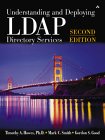 |
"Understanding And Deploying LDAP Directory Services",
by Timothy A. Howes,Phd, Mark C. Smith and Gordon S. Good, ISBN 0672323168, Addison-Wesley Pub Co Second edition. It is general in nature but complete in that it covers all concepts in depth. It is a good book for those wanting to understand everything about LDAP, schema development and its' capabilities. |

|
 |
"Understanding And Deploying LDAP Directory Services",
by Timothy A. Howes,Phd, Mark C. Smith and Gordon S. Good, ISBN 1-57870-070-1, MacMillan Technical Publishing First edition out of print. (Used only) See second edition above. This is the largest LDAP book I own. It is general in nature but complete in that it covers all concepts in depth. It is NOT a good programmers reference but it is good for those wanting to understand everything about LDAP, schema development and its' capabilities. Netscape centric. |
|
 |
"Programming Directory-Enabled Applications with Lightweight Directory
Access Protocol"
by Timothy A. Howes,Phd and Mark C. Smith ISBN 1-57870-000-0, MacMillan Technical Publishing Excellent programmers reference for those using the LDAP C language API. Also covers search filters and LDAP URL's. The OpenLDAP source code is so poorly commented that I found this book often was the only source for an explanation of what was happening in the code. |
|
 |
"Implementing LDAP",
Mark Wilcok ISBN 1-861002-21-1, WROK Press This book covers all aspects of LDAP from LDIF to the LDAP SDK in C, PERL and JAVA. It has a strong Netscape Directory server bias. |
|
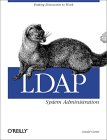 |
"LDAP System Administration",
Gerald Carter ISBN 1565924916, O'Reilly & Associates This book covers the use of OpenLDAP and the integration of services. |
|
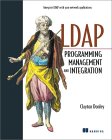 |
"LDAP Programming, Management and Integration",
Clayton Donley ISBN 1930110405, Manning Publications; 1st edition This book covers LDAP administration as well as introductory information. It covers the directory services markup language (DSML), PERL LDAP module as well as JAVA JNDI. |
|
 |
"Understanding LDAP - Design and Implementation" - IBM-Redbooks
Heinz Johner, Larry Brown, Franz-Stefan Hinner, Wolfgang Reis, Johan Westman IBM Redbook #SG24-4986-00 A reference to ldap, available as PDF as well. This book has a bias towards IBM's E-network LDAP Directory server. Tight, terse, but covers everything. |
|
|
"LDAP Implementation and Practical Use"
IBM Redbook #SG24-6193-00 |